Insights
•
Google Business Profile Suspended? Here's How to Recover It in 2026
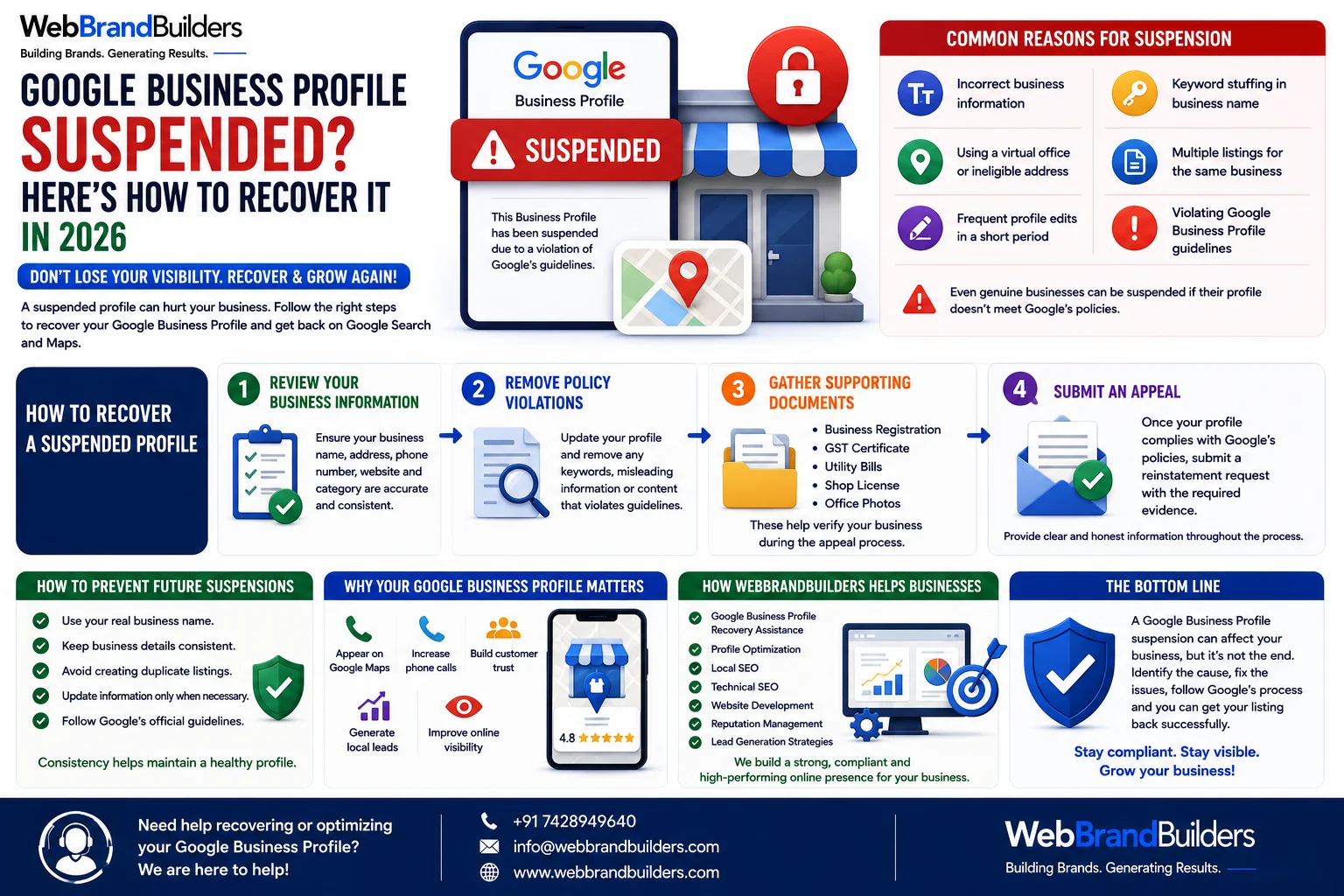
One of the biggest fears for any local business is seeing the message:
**"Your Google Business Profile has been suspended."**
When this happens, your business can disappear from Google Search and Google Maps, leading to fewer calls, inquiries, and customer visits.
The good news is that many suspensions can be resolved by understanding the cause and following the correct recovery process.
## What Does a Suspension Mean?
A suspended Google Business Profile is no longer publicly visible on Google.
Customers may not be able to find your business listing, leaving competitors with the opportunity to capture your potential customers.
## Common Reasons for Suspension
Google may suspend a profile for reasons such as:
* Incorrect business information
* Keyword stuffing in the business name
* Using a virtual office or ineligible address
* Multiple listings for the same business
* Frequent profile edits in a short period
* Violating Google Business Profile guidelines
Even genuine businesses can be suspended if their profile doesn't meet Google's policies.
## How to Recover a Suspended Profile
### 1. Review Your Business Information
Check that your:
* Business name
* Address
* Phone number
* Website
* Business category
are accurate and consistent across the internet.
### 2. Remove Policy Violations
If you've added unnecessary keywords or misleading information, update your profile to comply with Google's guidelines.
### 3. Gather Supporting Documents
Keep documents ready, such as:
* Business Registration
* GST Certificate (if applicable)
* Utility Bills
* Shop License
* Office Photos
These may help verify your business during the appeal process.
### 4. Submit an Appeal
Once your profile complies with Google's policies, submit a reinstatement request with the required evidence.
Provide clear and honest information throughout the process.
## How to Prevent Future Suspensions
Follow these best practices:
* Use your real business name.
* Keep business details consistent.
* Avoid creating duplicate listings.
* Update information only when necessary.
* Follow Google's official guidelines.
Consistency helps maintain a healthy profile.
## Why Your Google Business Profile Matters
A properly optimized profile can help you:
* Appear on Google Maps
* Increase phone calls
* Build customer trust
* Generate local leads
* Improve online visibility
For many local businesses, it's one of the most valuable digital marketing assets.
## How WebBrandBuilders Helps Businesses
At **WebBrandBuilders**, we help businesses manage and optimize their Google Business Profiles through:
* Google Business Profile Recovery Assistance
* Profile Optimization
* Local SEO
* Technical SEO
* Website Development
* Reputation Management
* Lead Generation Strategies
We focus on building a strong and compliant online presence.
## Conclusion
A Google Business Profile suspension can affect your business, but it doesn't always mean the situation is permanent.
By identifying the cause, correcting any issues, and following Google's verification process, many businesses can restore their listings successfully.
Maintaining accurate information and following Google's guidelines is the best way to protect your local visibility in the future.
📞 **+91 7428949640**
📧 **[info@webbrandbuilders.com](mailto:info@webbrandbuilders.com)**
🌐 **WebBrandBuilders – Building Brands. Generating Results.**
Want to scale your business organic traffic?
Let WebBrandBuilders optimize your search appearance & design strategies.